Does Chart Studio use AI to process my artwork?
No. Chart Studio uses fixed image-processing and needlepoint-charting rules that run in your browser. Your artwork is not sent to an AI service or used to train a model.
 Chart Studio
Choose the finished size, mesh and number of paint colors. Needlepoint Check runs 10 needlepoint-specific reviews against your original artwork, then lets you preview every suggested change before you decide.
Upload an image.
JPG, PNG, WebP, SVG, HEIC · 25 MB max
One stitch can be a stray mark or an intentional detail. Needlepoint Check flags areas worth another look and compares them with the original before suggesting a change.
You see the original artwork, current chart and proposed result together. Nothing changes until you choose to apply it.
Chart Studio builds the stitch grid, then checks the paint decisions against the original artwork.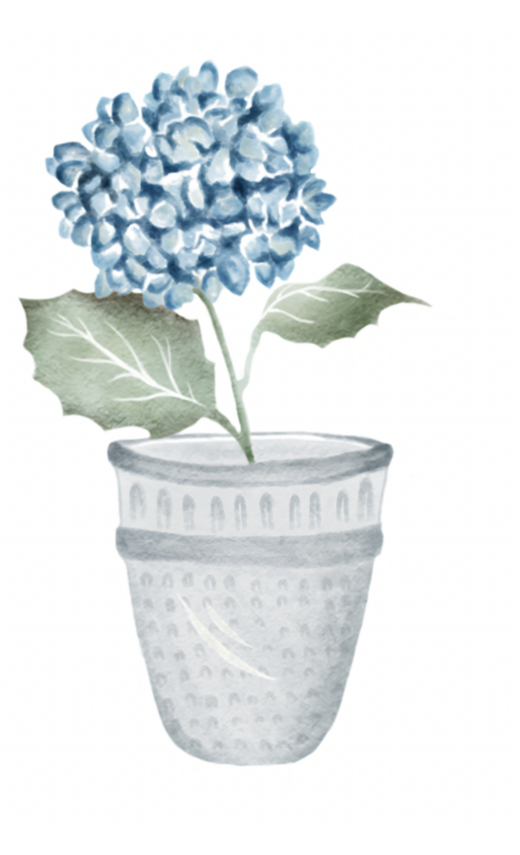
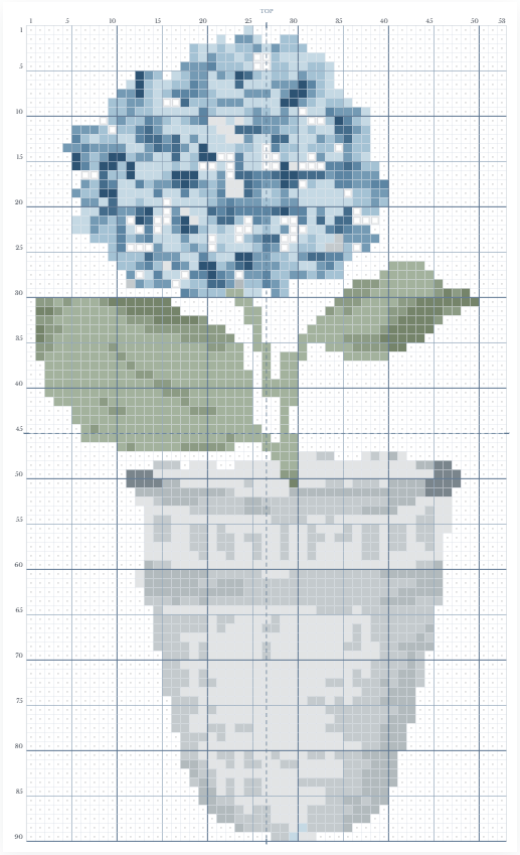
Needlepoint Check uses this full-design comparison, then opens any questionable square up close before you decide.
Each finding is compared with the uploaded artwork. Details supported by the original stay in the chart, and uncertain areas are left for you to decide.
You make every change. Review the original, current chart, and proposed result; keep the detail, try another color, leave it for later, or apply the preview. Undo restores the earlier chart.
Each chart square matches one intersection of the canvas mesh. Painted Canvas shows how the color sits on the woven strands while keeping the needle holes open. Stitched Preview shows the diagonal stitch over that same intersection.
Switch views and you stay in exactly the same place. Your selected square, zoom level, and surrounding area remain unchanged.
Five- and ten-stitch guides, row and column numbers, design edges, and center lines help you move between the screen, printed chart, and canvas without losing your place. Select any square to see its exact position and assigned color.
Both PDF options preserve the same numbering, guides, and design boundaries shown in Chart Studio, so the chart is easy to follow while painting or stitching.
No. Chart Studio uses fixed image-processing and needlepoint-charting rules that run in your browser. Your artwork is not sent to an AI service or used to train a model.
If by “closed system” you mean whether your artwork leaves your device, it does not. The artwork file and chart stay in your browser. They are not uploaded to Stitch Ladi, visible to us or other users, sent to Google Analytics or an AI service, or used to train a model.
The website itself is online and uses Google Analytics for basic site and feature use. Google Analytics does not receive your artwork, filename, chart content, palette, mesh, design size, color count or other chart settings.
Downloading a chart asks for your email once.
If you save a draft, it stays in that browser profile on that device until you delete it or clear the browser’s saved data.
Choose what should be painted and what should remain bare canvas.
Start with the recommendation or change the finished design size.
Review questionable areas against the original and choose what to keep.
Get the chart, symbols, paint key, stitch counts, and detailed pages.